
In short: On Windows, Linux and ChromeOS press Ctrl + Shift + Delete. On a Mac press Cmd + Shift + Delete. The Delete browsing data window opens with your last choices ticked; press Enter or click the button to clean.
Every shortcut you need
| Action | Windows / Linux | Mac |
|---|---|---|
| Delete browsing data | Ctrl + Shift + Delete | Cmd + Shift + Delete |
| Open history | Ctrl + H | Cmd + Y |
| Open downloads | Ctrl + J | Cmd + Shift + J |
| New incognito window | Ctrl + Shift + N | Cmd + Shift + N |
| Hard reload (skip cache) | Ctrl + Shift + R | Cmd + Shift + R |
| Remove a highlighted suggestion | Shift + Delete | Shift + Fn + Delete |
What happens when you press it
Chrome opens its Delete browsing data window. It remembers what you ticked last time, so if you usually clear the same things, the shortcut plus Enter is a two-second job.
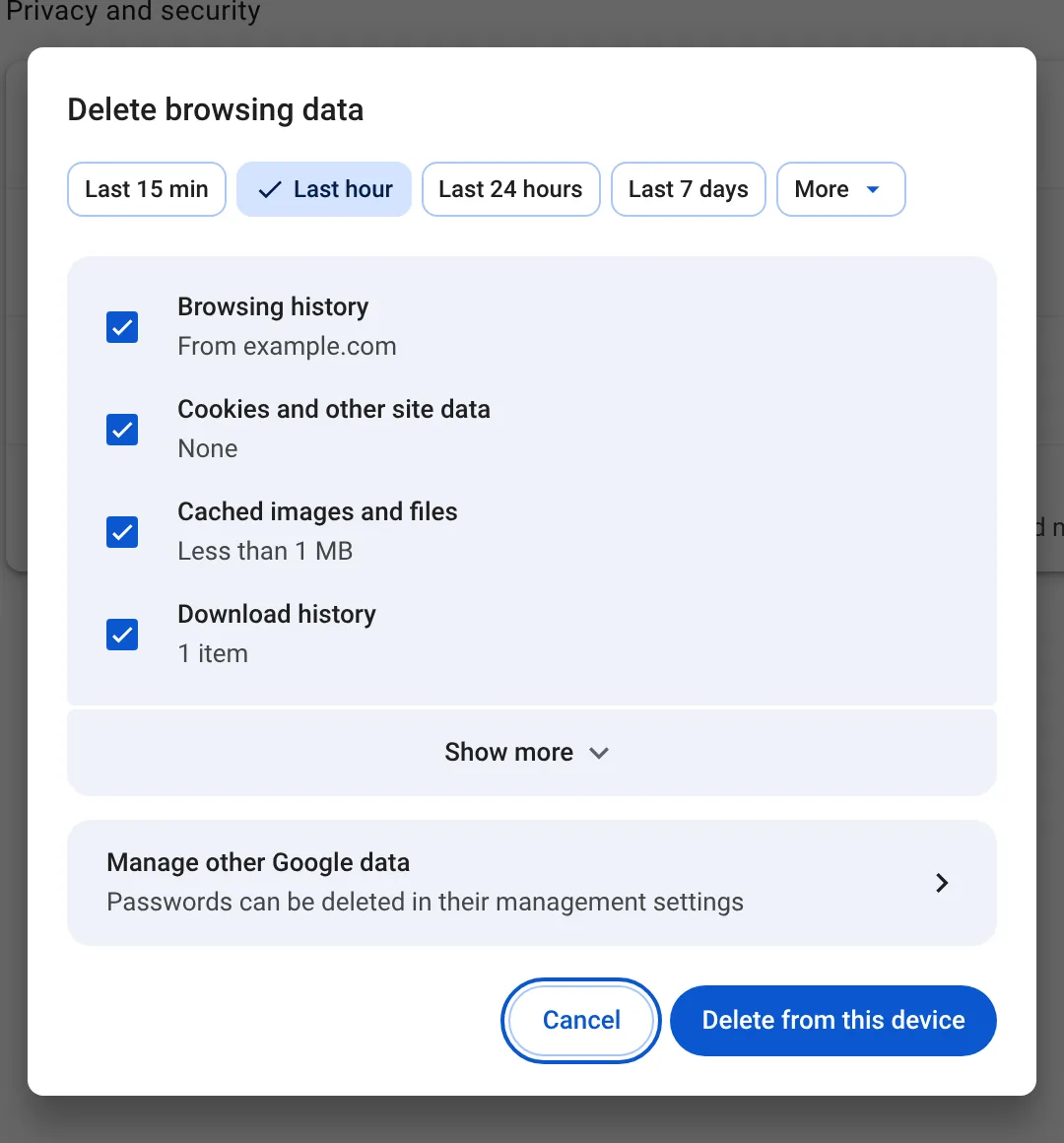
Two things to check before you confirm: the time range at the top, which may still say "Last hour" from last time, and whether Cookies and other site data is ticked, because that signs you out of most sites.
One key for everything
Chrome's shortcut still needs a confirmation. Auto History Wipe adds two shortcuts of its own that you can set at chrome://extensions/shortcuts:
- Clean now cleans with your chosen settings, no window, no confirmation.
- Panic cleans all history, closes every tab and leaves one blank tab. Useful when someone walks up behind you.
Both respect your protected sites, so you stay signed in to the ones you chose.
If the shortcut does nothing
- On some laptops Delete needs the Fn key. Try Ctrl + Shift + Fn + Delete.
- Another app may have taken the shortcut. Type
chrome://settings/clearBrowserDatainto the address bar instead. - On a work computer, your organization may have blocked deleting history.
The shortcut on an iPad
On an iPad with a keyboard, Google lists Shift + ⌘ + ⌫ (backspace) for Delete Browsing Data, and pressing and holding ⌘ shows every shortcut Chrome supports there.
No keyboard? Type it instead
Chrome can open the same window from the address bar. Google suggests typing Delete browsing data and choosing the action button that appears below. This works on phones too, which have no shortcut at all.
Related shortcuts worth knowing
- Ctrl + Shift + M opens the profile switcher, where you can start a Guest window. On a Mac it is ⌘ + Shift + M.
- Ctrl + Shift + N opens an incognito window, so there is nothing to clear afterwards.
- Ctrl + H opens your history, if you only want to remove a few pages. Deleting one site explains how.
Every shortcut here comes from Google's own list of Chrome keyboard shortcuts, which is worth a look if you use Chrome all day.
Check the window before you press Enter
The window remembers your last choices, which is handy until the day you cleared cookies once and forgot. Glance at two things before confirming: the time range at the top, and whether Cookies and other site data is ticked. If cookies are ticked, you will be signed out of most sites, so untick it unless that is the goal.
The bottom line
Ctrl + Shift + Delete on Windows and Cmd + Shift + Delete on a Mac is the fastest way into Chrome's cleaning window. Check the time range and boxes before you confirm, and if you find yourself pressing it every day, let a schedule do it for you.
Questions and answers
What is the shortcut to clear history in Chrome?
Ctrl + Shift + Delete on Windows and Linux, Cmd + Shift + Delete on a Mac.
Can I clear history with one key, without confirming?
Not with Chrome alone. An extension such as Auto History Wipe can add a clean-now shortcut that runs immediately.
Does the shortcut work in incognito?
It opens the same window, which cleans your normal profile. Incognito data is discarded when you close the incognito windows.
Sources
The official help pages behind this guide. Chrome moves menus around between versions; if yours looks different, these pages show the current steps.