
In short: On youtube.com open History from the menu. Remove single videos with the × next to them, or choose Clear all watch history. The same page lets you pause watch history and open Manage all history, where you can set auto-delete after 3, 18 or 36 months. Chrome keeps its own record of YouTube pages, which you clear separately.
Three places YouTube activity is kept
| Where | What | How to clear |
|---|---|---|
| YouTube watch history | Videos you watched while signed in | youtube.com → History → Clear all watch history |
| YouTube search history | What you typed into YouTube search | Manage all history → filter by searches → Delete |
| Chrome history | YouTube pages opened in Chrome, including titles | Ctrl + Shift + Delete, or Chrome history |
Remove one video
On a computer, open YouTube's History page and hover over the video; click the ×. In the app, tap your profile, then History, tap the three dots next to a video and choose Remove from watch history. Removing a video also stops it shaping your recommendations.
Clear or pause everything
- Clear all watch history deletes every video in the list.
- Pause watch history stops YouTube adding new videos. Recommendations become less personal while it is paused.
- Manage all history opens your Google Account activity for YouTube, where you can delete by date range and include searches.
Let it delete itself
In Manage all history, choose Auto-delete and pick 3, 18 or 36 months. It works the same way as auto-delete for Google searches, and you can turn both on in a minute.
Don't forget Chrome
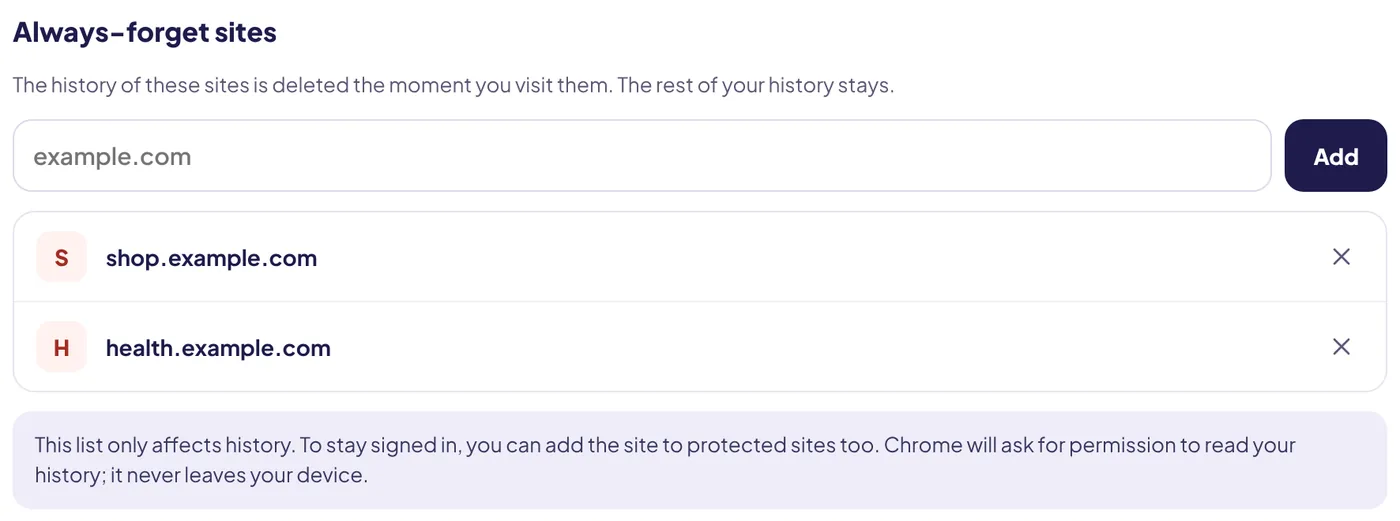
Clearing YouTube does not touch your browser. Every video page you opened in Chrome sits in your history with its title, which is often all someone needs to see. Clear it with the shortcut, or make Chrome forget YouTube altogether: add youtube.com to Always-forget sites in Auto History Wipe and visits are deleted the moment they happen.
Staying signed in to YouTube
If you clean cookies automatically, YouTube will sign you out unless you protect it or you are signed in to Chrome with the same Google Account. Clear cookies without logging out shows the options.
What Google says about deleting and pausing
YouTube's help page is clear on two points. If you delete some or all of your watch history, YouTube will not base future recommendations on those videos. And any video you watch while history is paused will not show up in your history at all. Pausing is the better choice if you want a fresh start that lasts.
In the YouTube app the controls are under your profile photo, then Settings → Manage all history. One detail is easy to miss: the help page notes that using Delete there for a time range also removes your YouTube search history for the same period.
Signed out? There is history too
YouTube keeps watch history on the device when you are not signed in. In the app, go to your profile picture, then Settings → History & privacy, where you can clear or pause it. On a shared TV or tablet this is often where the surprising recommendations come from.
YouTube Music shares the setting
Watch history settings are shared between YouTube and YouTube Music when you use the same account, so pausing it in one pauses it in the other.
The bottom line
Delete single videos from History, or clear and pause everything from Manage all history; auto-delete takes care of the rest on a schedule. Clean Chrome too, because youtube.com visits sit in your browser history separately from your YouTube account.
Questions and answers
Does clearing YouTube history clear Chrome history?
No. YouTube history is in your Google Account; Chrome history is on your computer. Clear both.
Will clearing watch history change my recommendations?
Yes. YouTube uses watch history to recommend videos, so recommendations become less personal.
Can I stop YouTube saving searches?
Yes. In Manage all history you can turn off saving YouTube search history, or set it to auto-delete.
Sources
The official help pages behind this guide. Chrome moves menus around between versions; if yours looks different, these pages show the current steps.